There are a number of groups on
Flickr where beginning photographers post their pictures for others to critique and offer advice. Some of them ask others to “fix” their pictures for them in a computer photo editing program. Ready, Aim, Click will feature some of those photographs from time to time to pass along some tips to help you make better pictures.
This is a candid photo of a gentleman’s 13-year-old daughter. She’s making the transition from childhood to adulthood and anyone who has raised teenagers knows *that* look. This photo is quite nicely done; the framing is good, as is the focus. It successfully captures a spontaneous moment in the life of a young adolescent. The photographer did w

ell in using a zoom setting. Facial features are portrayed better with moderate zooms than with wide-angle or extreme zoom (professional portrait photographers use a moderate telephoto lens).
There is a problem with the exposure, however. The bright background behind the girl tricked the camera into thinking the subject was brighter than it really was and rendered the photo too dark overall. The photographer should have used an exposure value (EV) of +1 to compensate. The girl’s creamy complexion and gorg

eous green eyes are lost. The second photo shows the portrait with the exposure corrected in PhotoShop. There are the eyes!
The third photo shows a tighter crop on the face and a softer focus on the girl’s ear. For some reason, having it in sharp focus was a distraction from the main part of the picture – her eyes.
Do you have a photo that you'd like critiqued? Fixed? Send an email to jjrdns6[at]aol.com and write "Troubleshooting" in the subject line.
Top photo: Turning Thirteen posted by Phil Widewood on Flickr. Click on pictures to enlarge. Ready, Aim, Click © 2007 James Jordan.
Labels: Exposure, Portraits, Troubleshooting
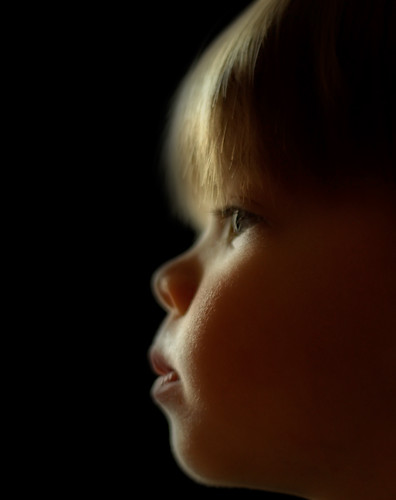 Here's a simple setup that will yield some impressive silhouette portraits. All you need is a window, a sheet of black foam board (available for a couple of dollars at a craft or office store), a subject and your camera.